For the Eden freeshard · client 1.65

Cfmike Eden Flat UI

The flat interface, rebuilt for Eden: every window redrawn on one visual system, and almost everything configurable from a graphic chooser. Four character sheet layouts, six healer helpers, a round 3D compass, English or French. Zero XML editing.

Released Aug 20, 2026 · 72 downloads · SHA-256 checksum

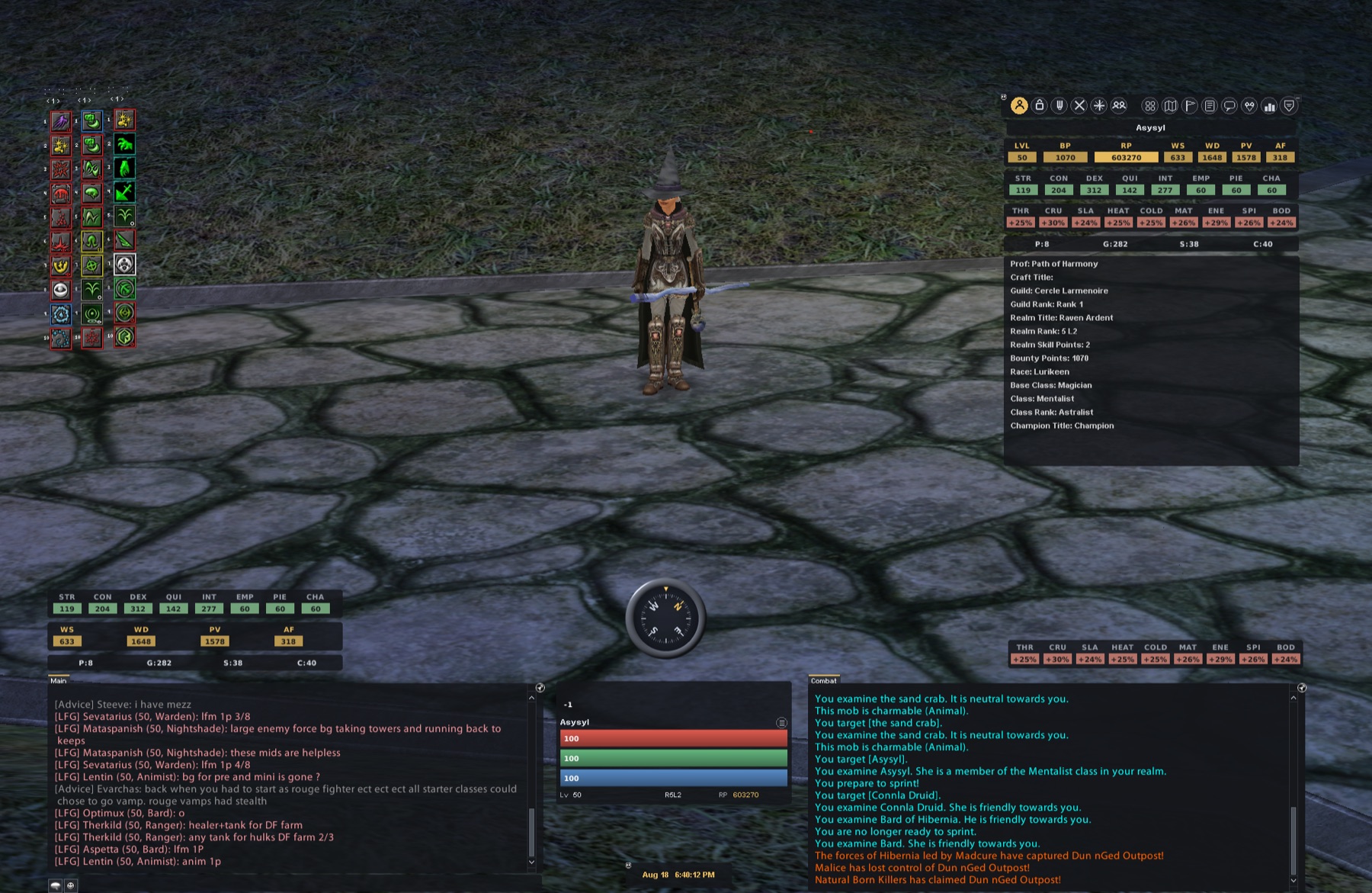
Cfmike Eden Flat UI in game: quickbars, character info, chat, floating target and round 3D compass

Design

One visual system for every window

Flat cards, coloured chips, gradient bars with a 1 pixel darker outline and no drop shadow, flat scrollbars. Inventory, character sheet, spec, quest journal, merchants, siege: all of them redrawn on the same grid, dark and high contrast.

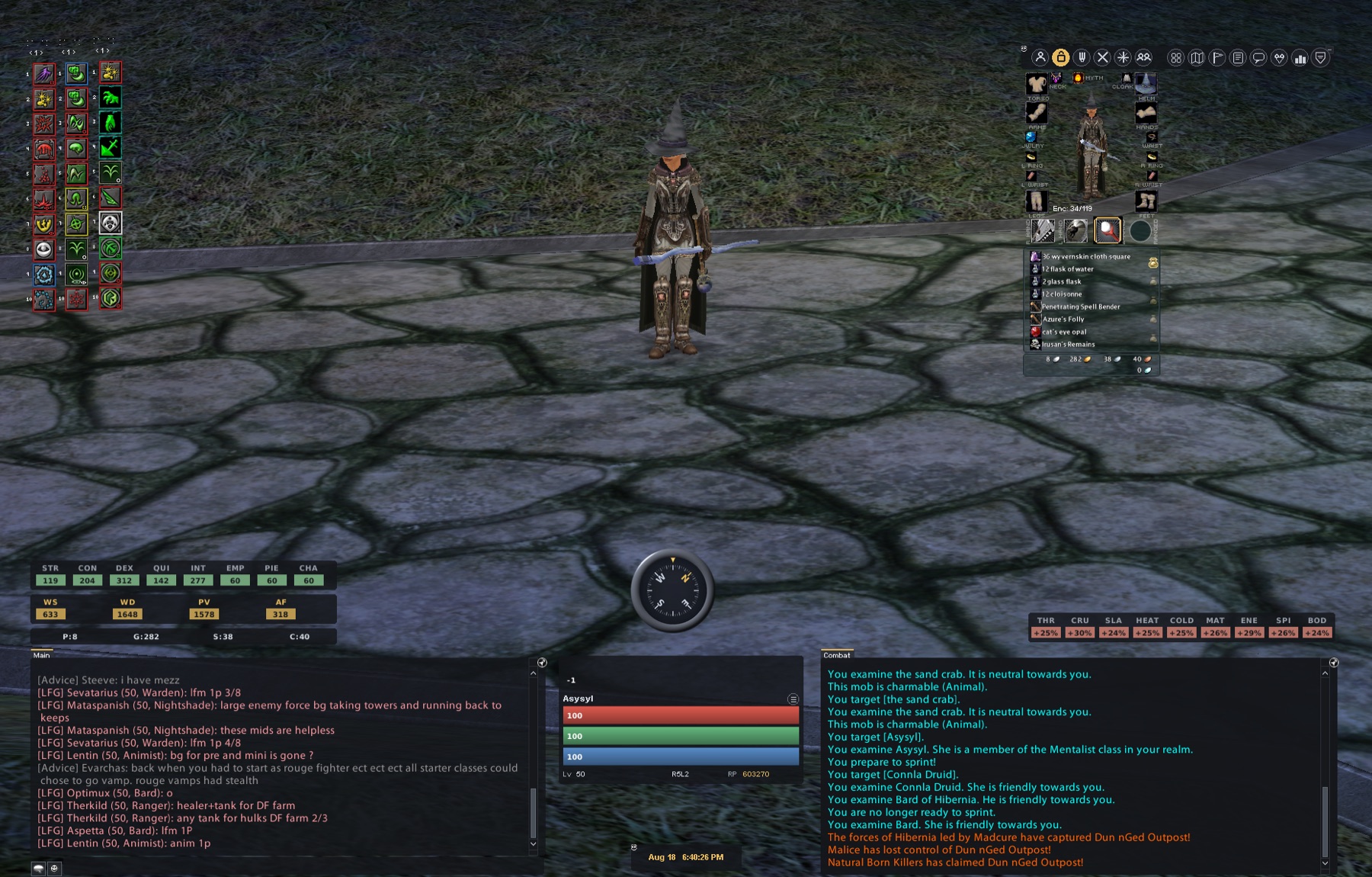
Inventory and paperdoll window redrawn flat, in game

Chooser

Pick your layout, press apply

Double click config.hta and everything is a radio button: character sheet horizontal 424x500, vertical 560x500, compact or compact base; summary from normal to mini; floating bars in three sizes; chip colours (9 choices, set separately for realm points, attributes, resists and name chips); square or rounded shapes; three font families. The chooser even switches the whole UI between English and French.

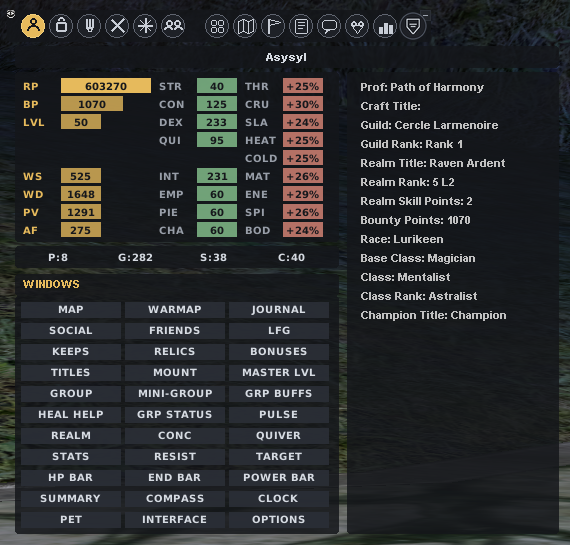
Vertical character sheet 560x500 with the windows grid built in

Healing

Six healer helpers, one job

2x4, 4x2, a square 3/2/3 with a hollow centre that shows your target and concentration, a single row of 8, 4x2 with a buff grid, and a compact 4x2, each with or without a panel background. Floating group, mini group, pet window and floating stats follow the same logic: small borderless panels you park where your eyes already are.

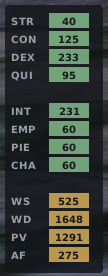
Vertical floating stats panel with attribute and weapon chips

Compass

A dial worth steering by

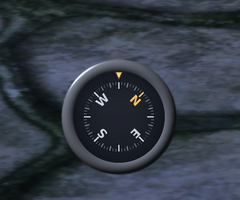
A round 3D compass with the target name in the middle, or a ribbon compass in two widths with seven textures to choose from. Either way, north stays readable at a glance while you run the frontiers.

Round 3D compass dial with cardinal points

Screenshots

Real captures of the current build, window by window. Click any of them to open the full size viewer.

Full interface in game

The whole system at once: flat quickbars top left, character info window on the right, chip rows for stats and resists, chat and combat logs in flat panes, the floating target with its red, green and blue bars, and the round 3D compass bottom centre.

Inventory and paperdoll

Flat equipment slots around the paperdoll, encumbrance meter, bag list and the money line. The chooser offers solid or transparent paperdoll backgrounds and several slot highlights.

Specialisations, abilities and tradeskills

Spec points at the top, abilities and tradeskills in flat scrolling lists. The layout follows the character sheet mode you picked in the chooser.

Vertical character sheet, 560x500

The vertical layout puts realm points, attributes, resists and the full windows grid in a single panel: map, warmap, keeps, relics, group tools, floating panels, options. One window to reach everything.

Combat panel

Combat abilities on the left, weapon skill, damage, power and armour factor as amber chips on the right, with melee resists just below. The quiver button sits in the corner.

Magic panel and concentration list

Spell lines as flat checkboxes, every spell numbered for quickbar drag and drop, and the concentration list on its own pane. The pulse window is invisible by design when nothing is running.

Spec and abilities, sheet layout

The same spec window in the layout matched to your character sheet choice: the chooser switches group, combat, spec, tradeskill and spell panels together so the set stays coherent.

Floating stats, vertical

Attributes in green chips, weapon numbers in amber, stacked in a narrow column. The horizontal variant exists too; both are borderless.

Floating resists, vertical

The nine resists in a slim column of red chips. Pin it next to your group window and read incoming damage types at a glance.

Download

Latest version

v1.1

Released Aug 20, 2026 · 10.4 MB

Changes

  • No new features: bug fix release only.

Fixes

  • **Pet window** — the **ATTACK** and **RELEASE** buttons can now be dragged onto the hotbar to create a macro. Neither button carried a command id, so the client had no way to tell which action to bind to the shortcut. The checkboxes (Aggro, Defense, Passive, Follow, Stay, Go Target, Here) were unaffected.
  • Fix applied to all three pet window layouts: **Tall**, **Square** and **Wide**.

Download v1.1 Install guide

SHA-256: ac050df3c499cbab44d8c3059b0f844136f2e0338b0cbc13fc8160e27bda51b1

All versions

Version Date Size
v1.1 latest Aug 20, 2026 10.4 MB Download
v1.0 Aug 19, 2026 9.6 MB Download

Every zip ships with its SHA-256 checksum. Downloads go through an anonymous counter: no IP address is ever stored in clear text.

Changelog

v1.1

latest Aug 20, 2026 · 10.4 MB

Changes

  • No new features: bug fix release only.

Fixes

  • **Pet window** — the **ATTACK** and **RELEASE** buttons can now be dragged onto the hotbar to create a macro. Neither button carried a command id, so the client had no way to tell which action to bind to the shortcut. The checkboxes (Aggro, Defense, Passive, Follow, Stay, Go Target, Here) were unaffected.
  • Fix applied to all three pet window layouts: **Tall**, **Square** and **Wide**.

Download this version

v1.0

Aug 19, 2026 · 9.6 MB

First public release of Cfmike Eden Flat UI.

  • Every window of the 1.65 client redrawn flat: cards, coloured chips, gradient bars, flat scrollbars
  • Graphic chooser (config.hta): windows, HUD and bars, look, inventory and icons, compass tabs
  • Four character sheet layouts (horizontal, vertical, compact, compact base) that switch the group, combat, spec, tradeskill and spell panels together
  • Six healer helper layouts, with or without panel background
  • Round 3D compass with the target name in the middle, plus two ribbon widths and seven textures
  • Full English and French versions, switchable from the chooser

Download this version

Frequently asked questions

Is this the same interface as Cfmike Blackthorn Flat UI?

Same visual system, different build. Cfmike Eden Flat UI ships its own chooser (config.hta) with more layouts: four character sheets, six healer helpers, chip colours, shapes, icon sets and the round 3D compass. For the Blackthorn server, use Cfmike Blackthorn Flat UI.

Do I need to restart the game after changing options?

Only for textures. Layout changes (window sizes, labels) reload instantly with /uiload in game. Texture changes (bar colours, chips, shape, icons, inventory, compass) need a full game restart because the client only loads textures at startup. The chooser tells you which case applies after every apply.

Can I use it in French?

Yes. The language switch at the top right of the chooser changes the game windows (menu, interface elements, realm bonuses, realm window, character sheet, floating stats) and the chooser itself, in English or French.

A window disappeared after I changed its size. Where is it?

Window positions are stored by the client, not by the UI. Unlock the interface and look along the screen edges: after a size change a window can sit partly off screen.

Is it safe to use?

Yes. It is a classic interface skin placed in the game's ui/custom folder, a mechanism the client is designed for. No game file is modified, and the _options folder is only ever read by the chooser, never by the game.

How do I report a bug or suggest an idea?

Use the feedback page: every request is read and answered there, and the good ideas end up in the next release. The Eden server Discord, interface channel, works too.